

Workflow Design
We learn how your team works and design the best way forward.
Eye-Care Product Lifecycle Platform
iPothecary gives practices one operational system for the products they recommend, stock, sell, and manage — with inventory, lot, expiration, recall, and retail workflows connected across every location.
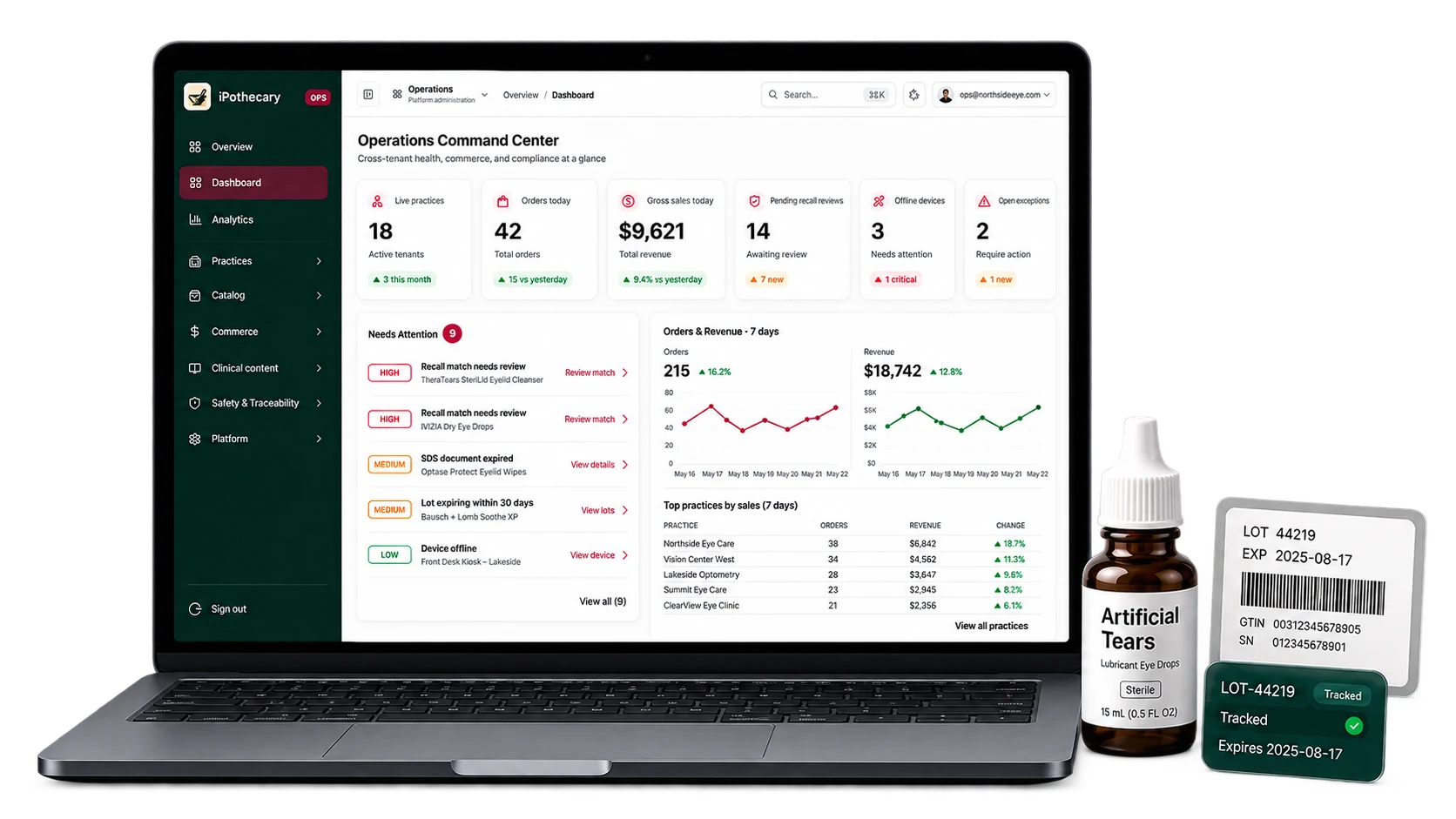
One operational record
iPothecary creates one operational record across products, locations, inventory, retail, and safety—then gives each team the view they need.
See inventory, movement, receiving, transfers, and where attention is needed.
Explore OperationsConnect products, locations, inventory, and retail activity without fragmented workflows.
For Practice LeadersUnderstand purchasing, inventory held, product movement, and retail performance across the practice.
Explore FinanceMaintain product, lot, expiration, and location records so your team can respond quickly when safety issues arise.
Explore SafetyGive practices structured product information and build a clearer operational relationship after adoption.
Partner With iPothecaryThe Patient Experience
Keep the patient-facing product experience connected to the operational system behind it.
Guide patients toward the products the practice chooses to carry.
Keep the transaction connected to the right product and location.
Support the practice workflow for getting the product into the patient's hands.
Built around your operation
Every practice handles products differently. iPothecary works with your organization to understand how products are purchased, received, stocked, moved, recommended, sold, and managed when safety events occur.
We learn how your team works and design the best way forward.
Locations, products, vendors, roles, permissions and processes—configured for your operation.
Kiosks, scanners, printers and devices deployed where your team needs them.
We train each team and help drive confident, day-to-day use.
We establish recall, hold, traceability and escalation workflows before you need them.
We use operational data and feedback to improve performance and grow with you.
Implementation workflow
As iPothecary expands, forward-deployed implementation specialists will work alongside practice teams during rollout and optimization.
Product lifecycle
A product should not become disconnected information as it moves through the practice. iPothecary keeps its identity and operational history connected from onboarding through inventory, recommendation, sale, replenishment, and disposal.
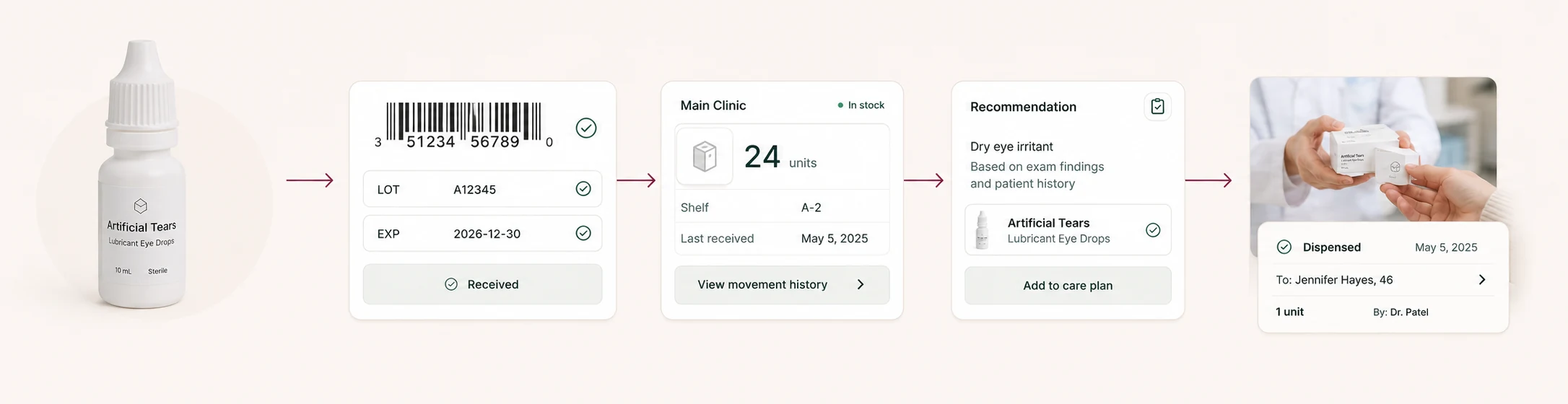
Swipe to follow the full lifecycle →
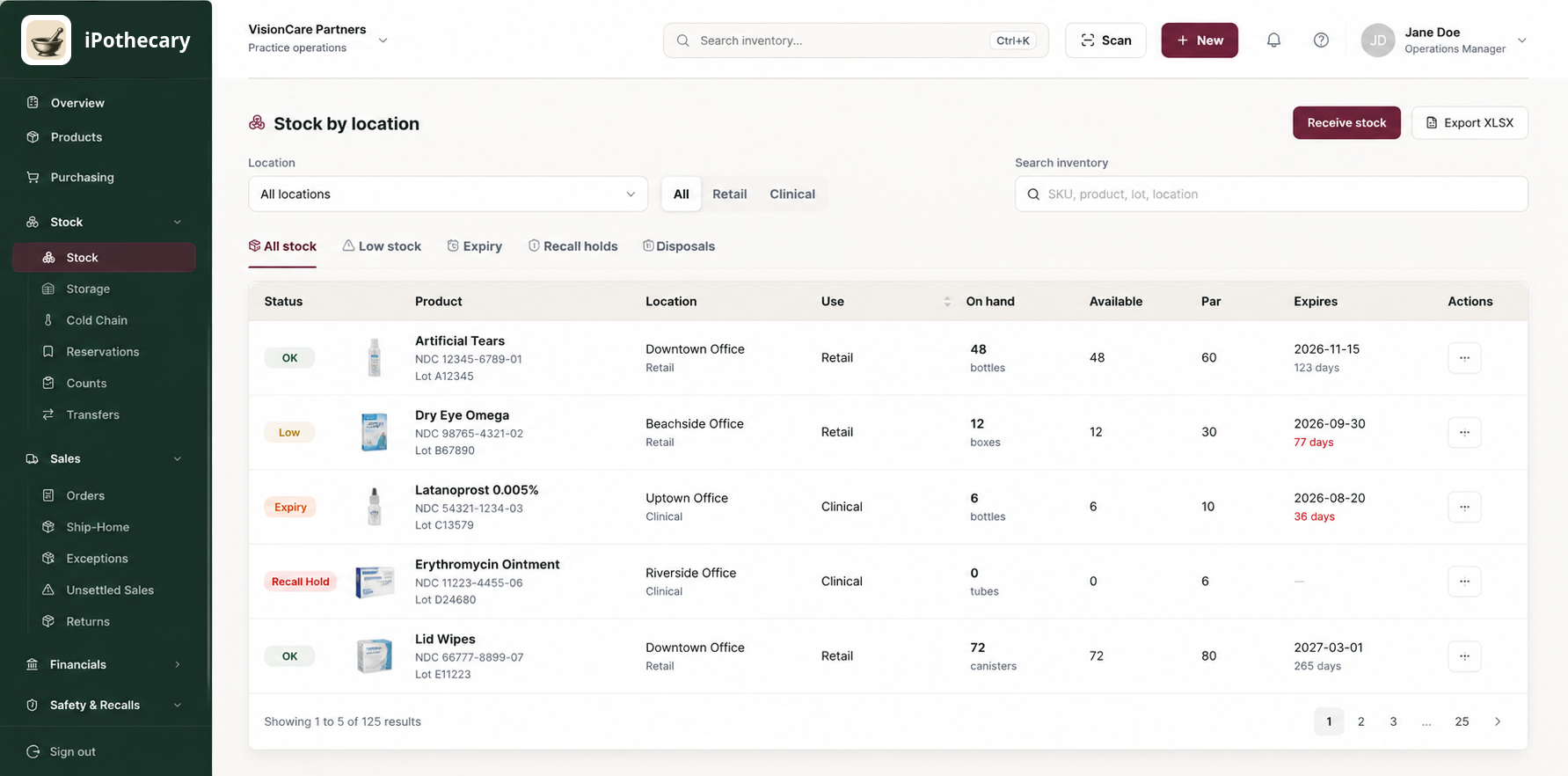
Inventory operations
Give staff and leadership a shared view of inventory across every office, without treating each location like its own spreadsheet or reporting process.
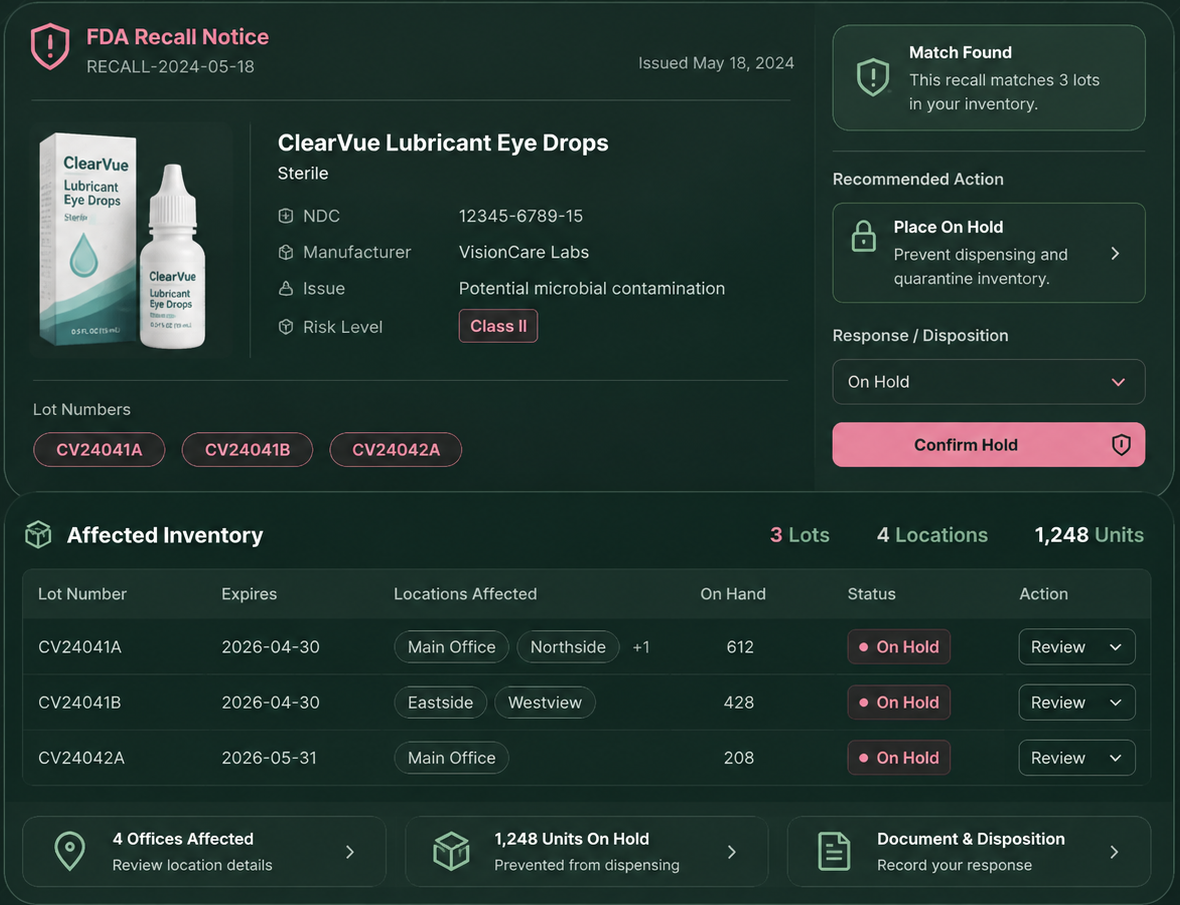
Product safety
A recall notice becomes operational only when it can be connected to the products, lots, locations, inventory, and transactions the practice can actually investigate.
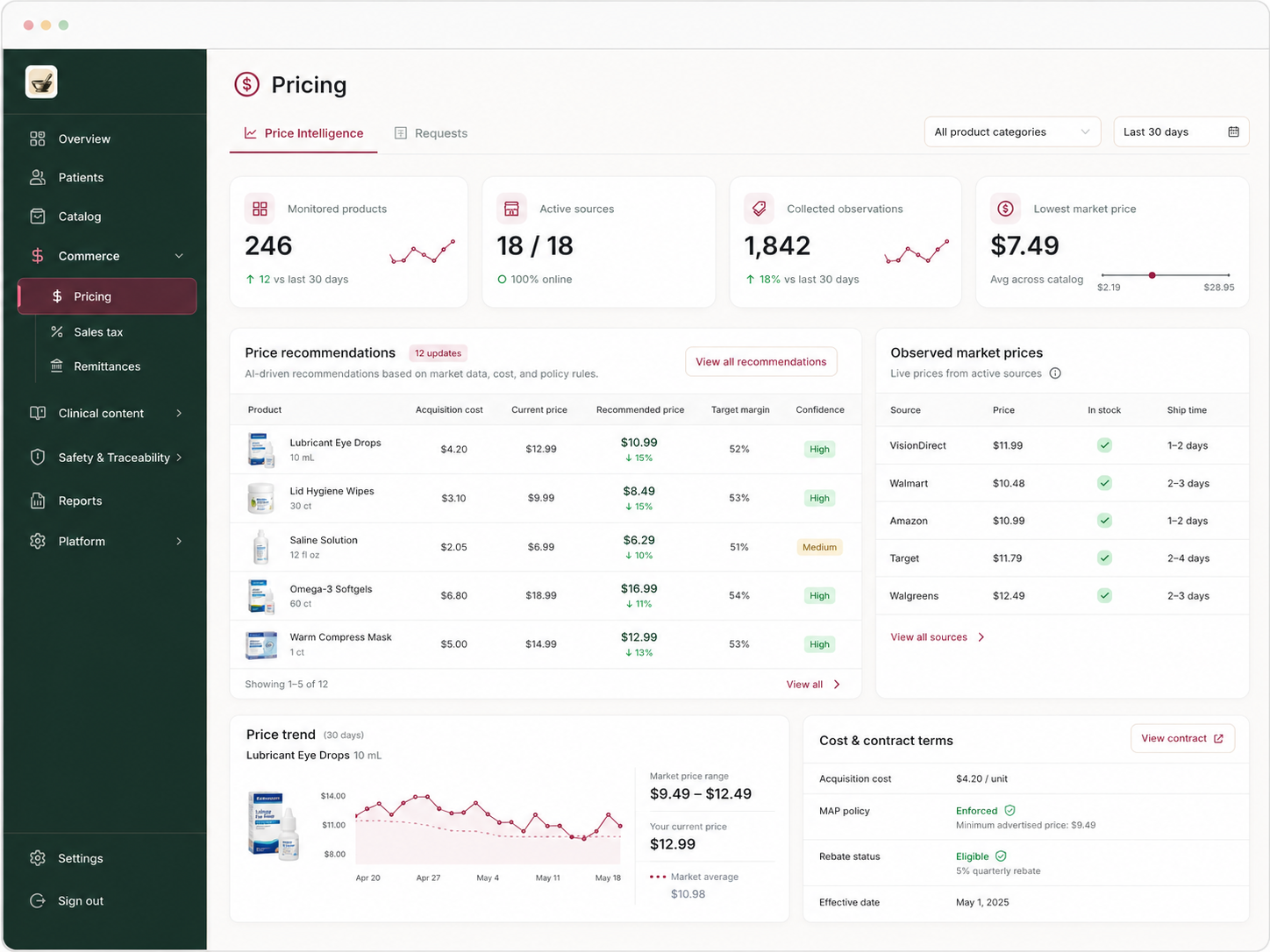
Product intelligence
Ordinary retail catalogs were not designed for healthcare products. Keep the operational context surrounding a product attached to the product itself.
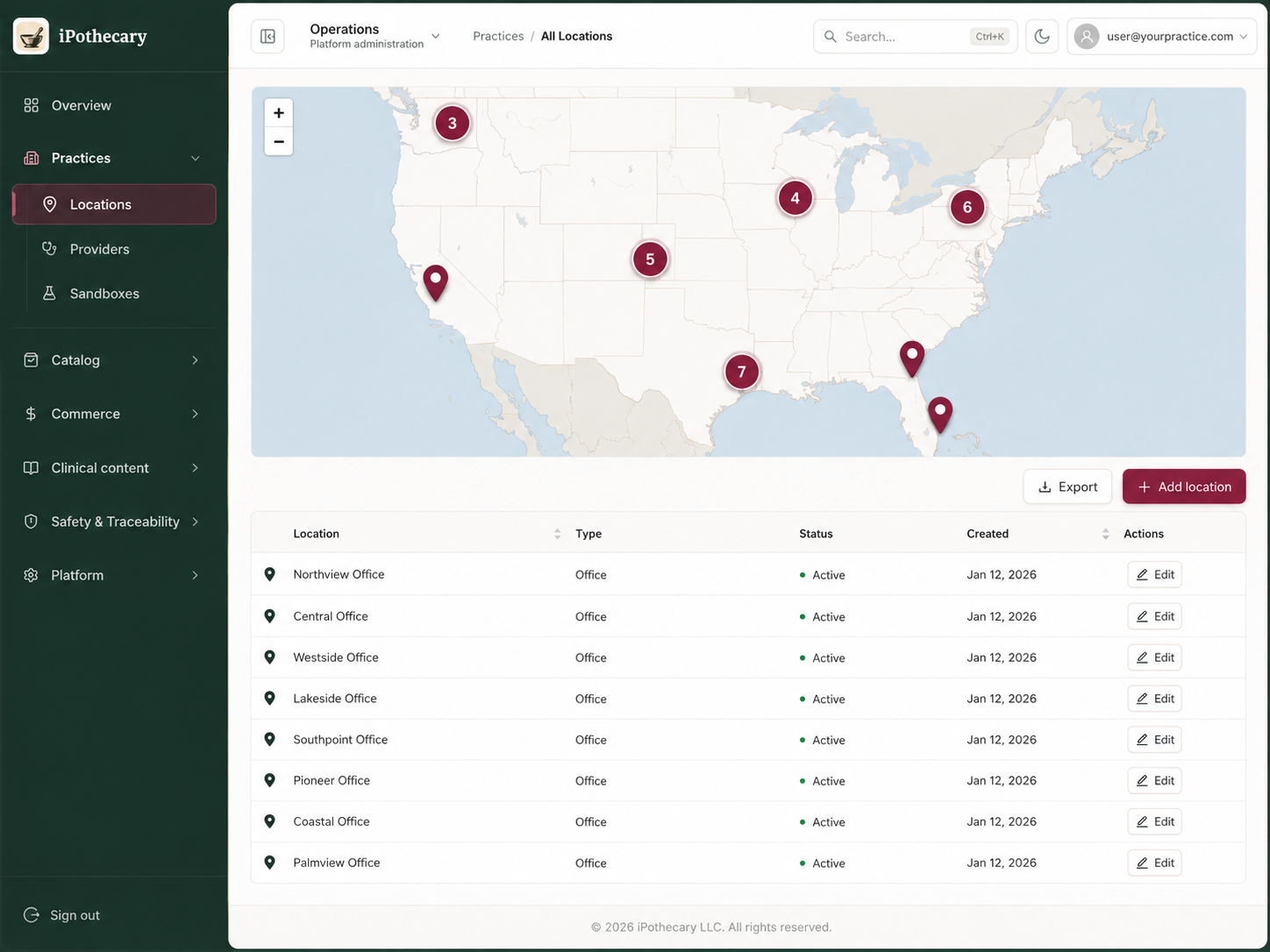
Multi-office operations
Standardize the product operation without forcing every office into a separate spreadsheet, inbox, or independent process. Retail activity stays connected to the inventory and location behind it.
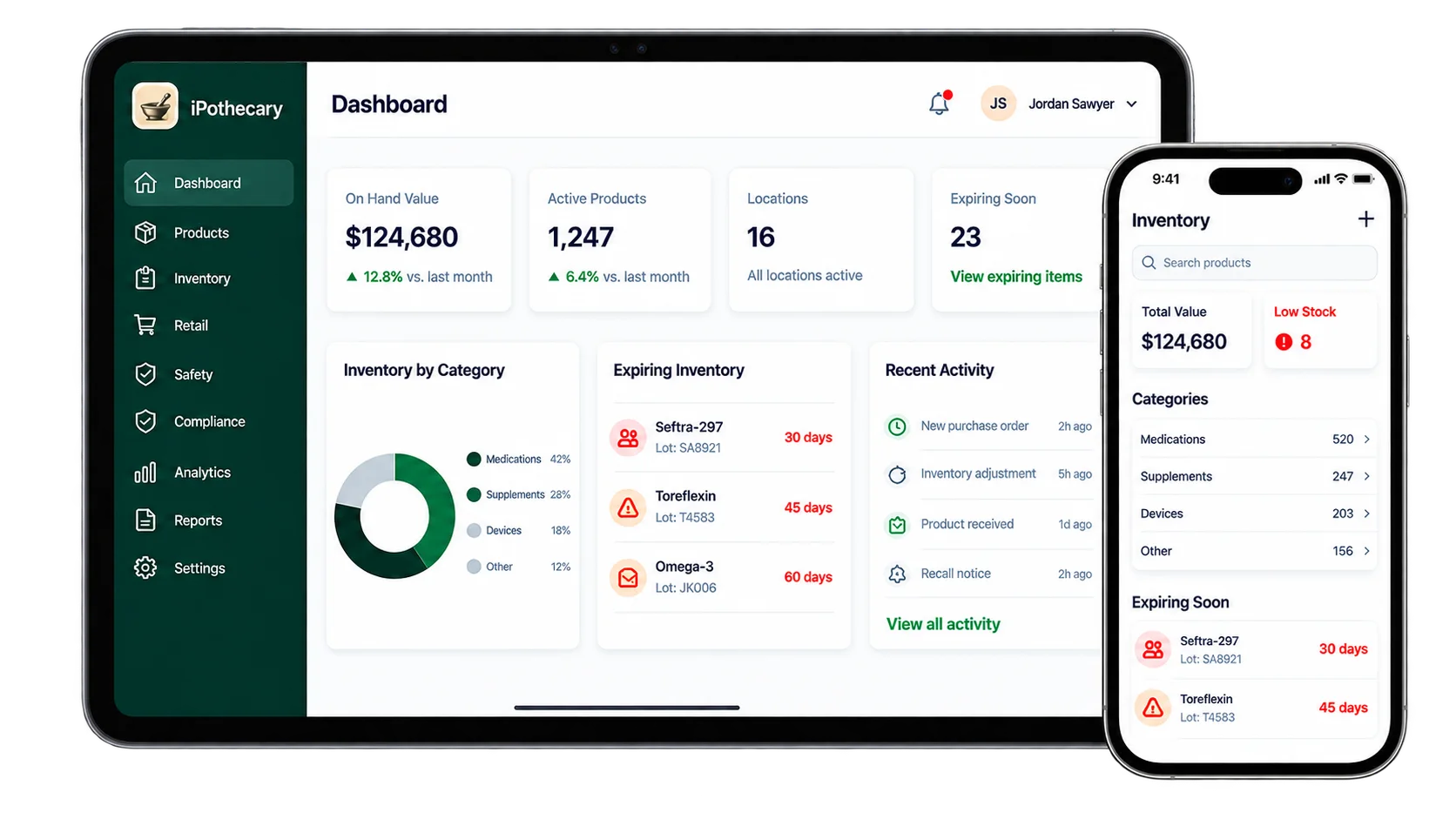
The right view for every role
Clinical, operations, finance, compliance, and leadership work with different responsibilities—but the product information behind those decisions stays connected.
One operational connection
iPothecary connects the systems and records around the products a practice chooses to manage.
Walk through inventory, product safety, retail operations, and multi-location management with us.